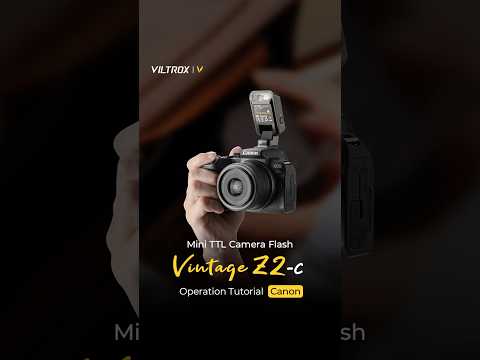
Viltrox Z2 Flash Usage Tutorial 

Master retro-style lighting with precision – from mounting to troubleshooting.

By Viltrox Team | April 2, 2026

🔧 Multi-Brand Guide

To help you get started quickly with the Viltrox Z2 Flash, we have compiled this comprehensive usage tutorial covering general operations and specific camera settings for Nikon, Canon, Fujifilm, and Sony mounts.

1. Body Overview & Interfaces

The body design of the Z2 flash is intuitive and includes the following parts:


• Buttons: Power switch and pre-flash button, Power plus button (+), Power minus button (-) (which also serves as the automatic/manual switch button).


• Indicators: Power indicator light, A-mode indicator, battery level indicator, and manual mode power indicator.


• Hardware: Type-C charging interface, light-emitting area, and hot shoe (Note: The Sony Z2-S version is equipped with a specific hot shoe release button).


2. Charging & Basic Operations

Charging the Device:


• Connect the Type-C power cord to the flash power interface.


• Charging: The power indicator light flashes.


• Fully Charged: The indicator light stops flashing. You can then disconnect the power.

Installation and Disassembly:


• Standard Mounts (Nikon/Canon/Fuji): Align the flash hot shoe with the camera's hot shoe and push it gently until fully seated. Make sure it is firmly connected to prevent it from falling off. To remove, hold the base of the flash and gently push it outward.


• Sony Mount (Z2-S): When installing or removing, you must press and hold the hot shoe release button.


• Pro Tip: If the light is too harsh during shooting, use a diffuser to achieve softer illumination.

Mode Switching & Power Adjustment:


• Switching Modes: Long press the power minus button (-) to switch between automatic (A-mode) and manual mode (M-mode).


• Power Adjustment: Short press the power plus (+) or minus (-) buttons to adjust the power of the flash.

3. Brand-Specific Camera Settings

Before configuring the following settings, please long press the flash power button to turn on the device and unfold the flash head.

Canon Operation Guide (Z2-C)

Alt image

Sony Operation Guide (Z2-S)

Alt image

Nikon Operation Guide (Z2-N)

Alt image

Fujifilm Operation Guide (Z2-F)

Alt image